


Overview
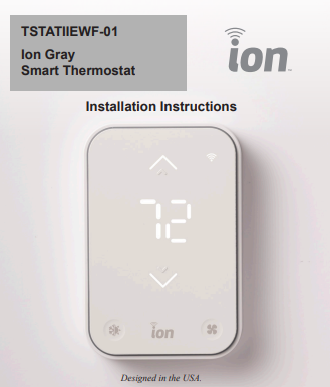
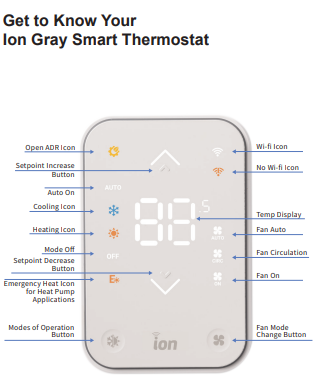
ICP, Heil, Tempstar, Airquest new Ion Gray Smart Thermostat offers effortless connected comfort with just a touch. Its sleek, modern design blends seamlessly with any décor. A simple touch reveals system mode, current temperature, fan setting, and set-point temperature. The Ion Gray Smart Thermostat allows for a stronger dealer-homeowner connection – with permissions to data sharing a dealer can provide improved, reliable service.
Our latest and most affordable smart thermostat puts an elegant, modern-looking device on your wall that is easy to use and works with popular smart home systems.
How to Connect in 3 Easy Steps
Contractors
1. Download and open the Fast OEM Mobile Tech app from the App Store or Google Play.
2. Select Connect to Equipment and then Smart Thermostat.
3. Follow the guided thermostat configuration instructions.
Homeowners
1. Download the Ion SmartHome app from the App Store or Google Play and create an account.
2. Select Add New Device and then Smart Thermostat.
3. Follow the guided setup instructions to connect to your Wi-Fi network. Must use the Wi-Fi. IEEE 802.11 b/g/n @2.4GHz
*When instructed, utilize the mobile onboarding QR code found in one of three locations: – On the front of this manual – The hang tag attached to front of thermostat – Back of the thermostat
Troubleshooting
If the display doesn’t power up after power is applied, check the Rc/Rh and C terminals for 24VAC.
Reset
There are 2 different resets available for the thermostat:
• Factory reset will restore all settings and operation to original out of the box settings. This includes Wi-Fi, BLE, and HVAC System type setup.
• Network reset will restore default Wi-Fi and BLE. HVAC settings, including HVAC System type are not changed.
To perform a reset of the thermostat, perform the following steps:
1. Press Fan + mode keys simultaneously for 10s. This will access the reset menu.
2. Use Arrow Up/Down to select the reset type a. nr - Network reset b. Fr - Factory reset
3. If performing a Network reset (nr) confirm the selection of Network reset option with single press of fan button.
4. If performing a Factory reset (Fr) confirm the selection of Factory reset with a double press of fan button.
Please note performing a Network reset or a Factory reset will result in power on reset of the device.

